Panels
This prototype is the product spec. These screenshots capture the current UX and help drive decisions for a future POC.
For each panel, we document what is shown, the value of the panel, and alternative implementations (because this is a concept model and subject to redesign).
Dashboard
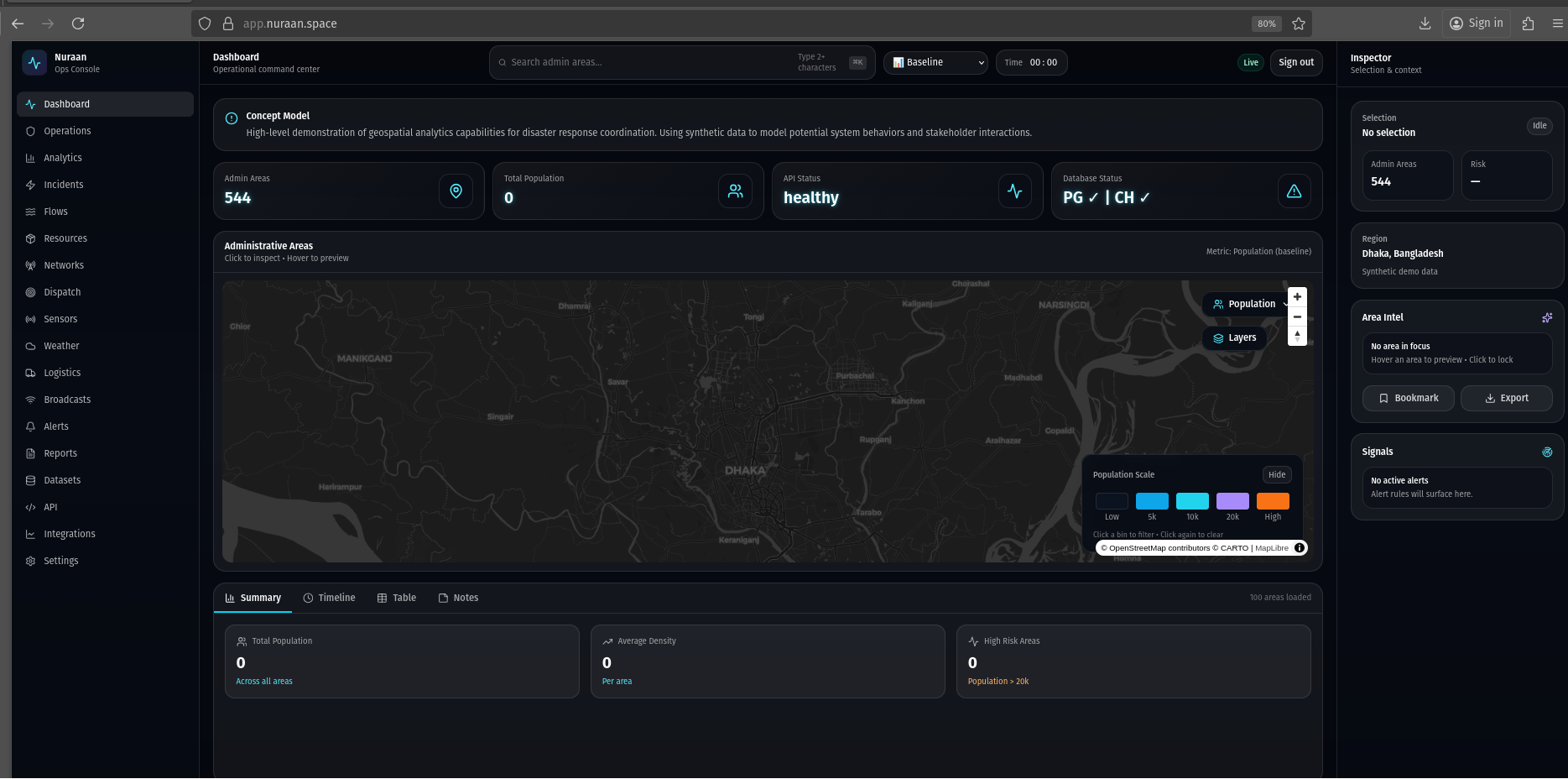
What is shown
- Primary map view with administrative boundaries and operational overlays.
- Global search, scenario/time controls, and the Inspector context panel.
- High-level KPIs and an analysis dock for quick situational awareness.
Value
- Fastest path to orient: where things are happening and what needs attention.
- Single landing spot for switching between map-driven exploration and queue-first consoles.
- Creates shared language across stakeholders for what “the system” feels like.
Alternative implementations
- Role-based home pages (Ops lead vs Analyst vs Field coordinator).
- Map-first (current) vs KPI-first dashboards with a smaller map.
- Replace analysis dock with a dedicated “briefing” narrative timeline.
Operations
https://app.nuraan.space/operations
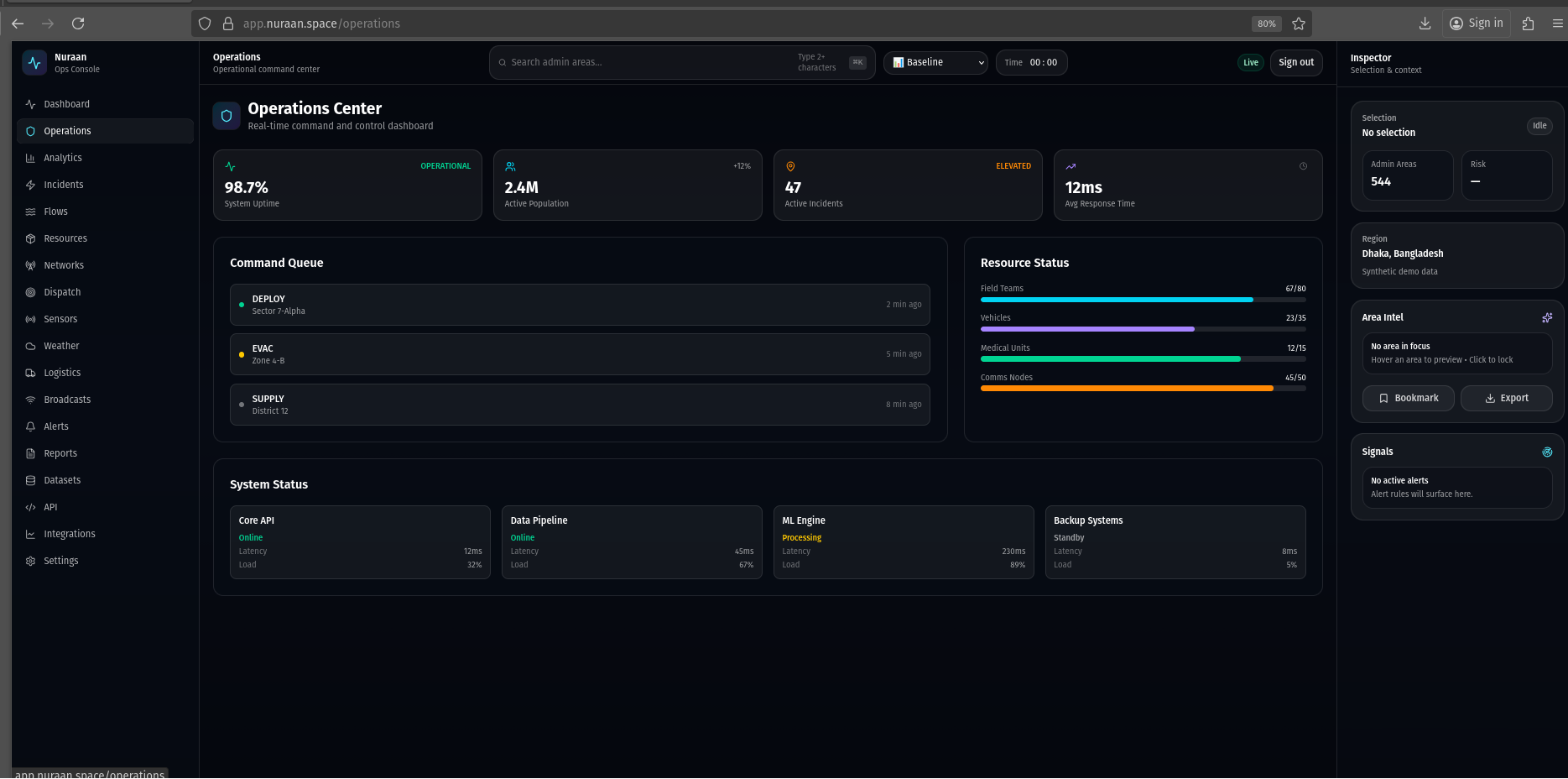
What is shown
- Operational overview cards for current status, readiness, and basic system signals.
- A lightweight “at a glance” summary intended for shift handover.
Value
- Creates a shared ops cadence: what’s stable, what’s degraded, what’s pending.
- Provides a place to consolidate incident/alert posture at the start of a shift.
Alternative implementations
- Replace cards with an ops runbook checklist and shift handover log.
- Embed live queue widgets (top incidents, top alerts) for one-screen triage.
- Use SLO-style health timelines instead of static status tiles.
Analytics
https://app.nuraan.space/analytics
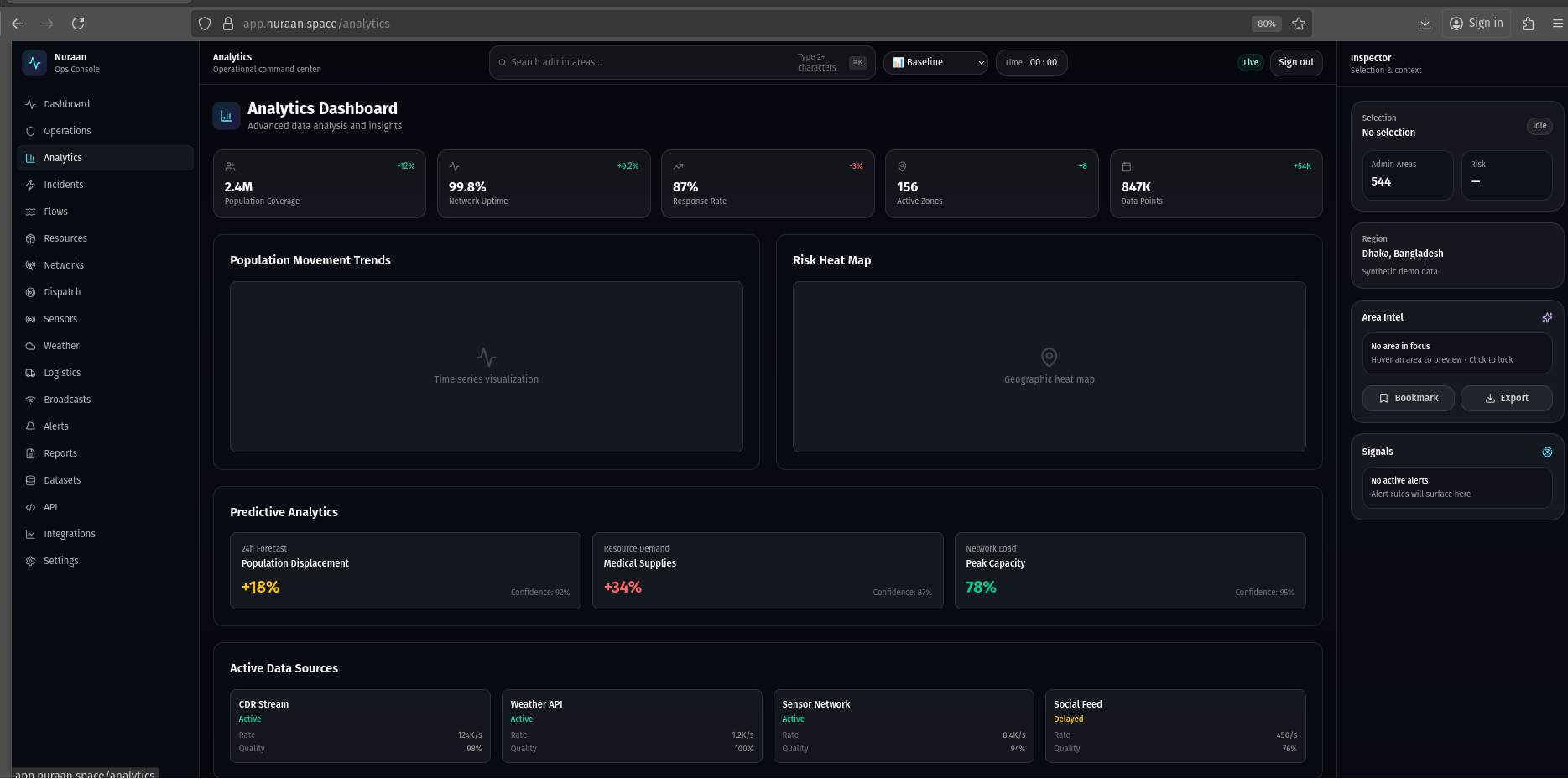
What is shown
- Analytical KPI cards and charts oriented around population, movement, and service coverage.
- Forward-looking sections for predictive analytics and planning.
Value
- Supports decision-making: where to allocate resources, where risk is rising.
- Bridges technical signals (data) into operational recommendations (actions).
Alternative implementations
- Notebook-style exploration (queries + charts) for analysts.
- Scenario comparison view (baseline vs flood day 3) as a first-class workflow.
- Model cards and provenance panels for explainability and trust.
Incidents
https://app.nuraan.space/incidents
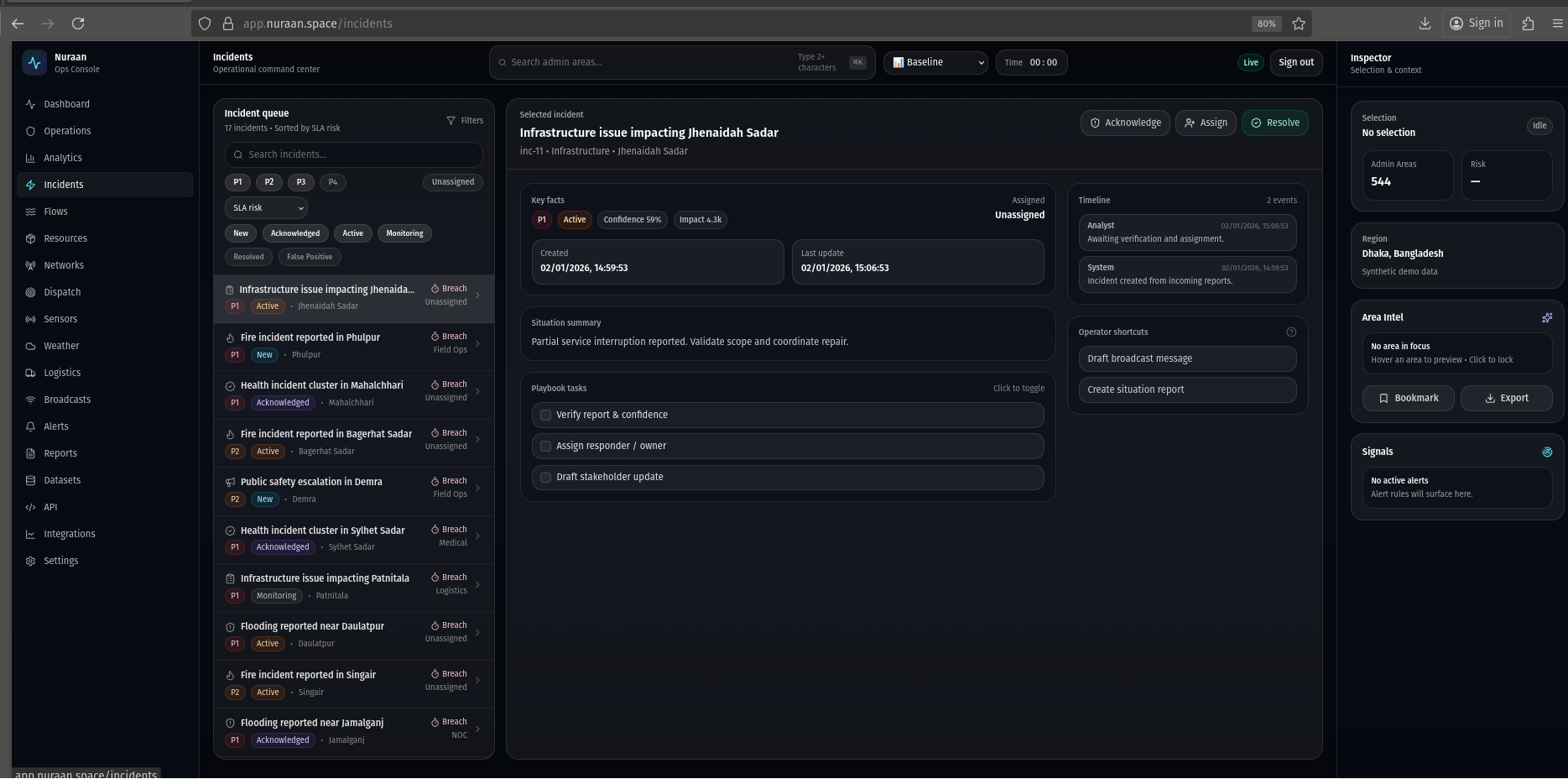
What is shown
- Queue-first incident console with filters, sorting, and quick actions.
- Incident detail view with timeline and operational context via the Inspector.
Value
- Creates clear ownership: what is being worked, what is pending, what is resolved.
- Enables area-based triage and linking to resources/dispatch/alerts.
Alternative implementations
- Kanban-style incident board by status or by responsible team.
- Incident map layer with pins and geo-fenced work areas.
- ChatOps-style incident handling with auto-generated updates.
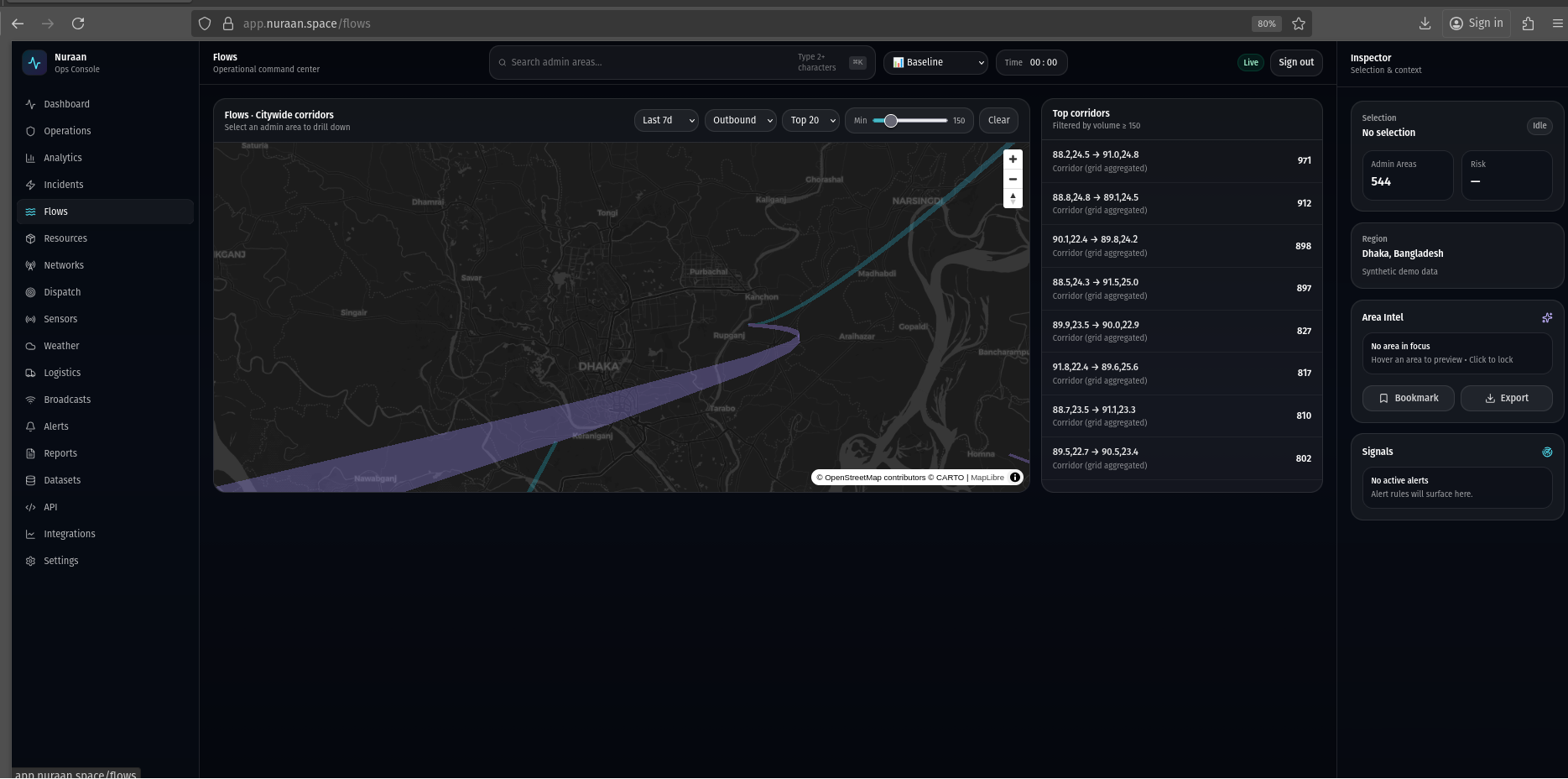
Flows
https://app.nuraan.space/flows
What is shown
- Map-based movement/flow visualization over administrative boundaries.
- Controls for viewing different layers and a legend for interpretation.
Value
- Supports evacuation and mobility insight: where people are moving and concentrating.
- Useful for planning interventions (shelter placement, routes, comms targeting).
Alternative implementations
- Origin–destination matrix and time-sliced flow playback.
- Story mode with annotated “movement narrative” checkpoints.
- Uncertainty overlays to communicate confidence and data quality.
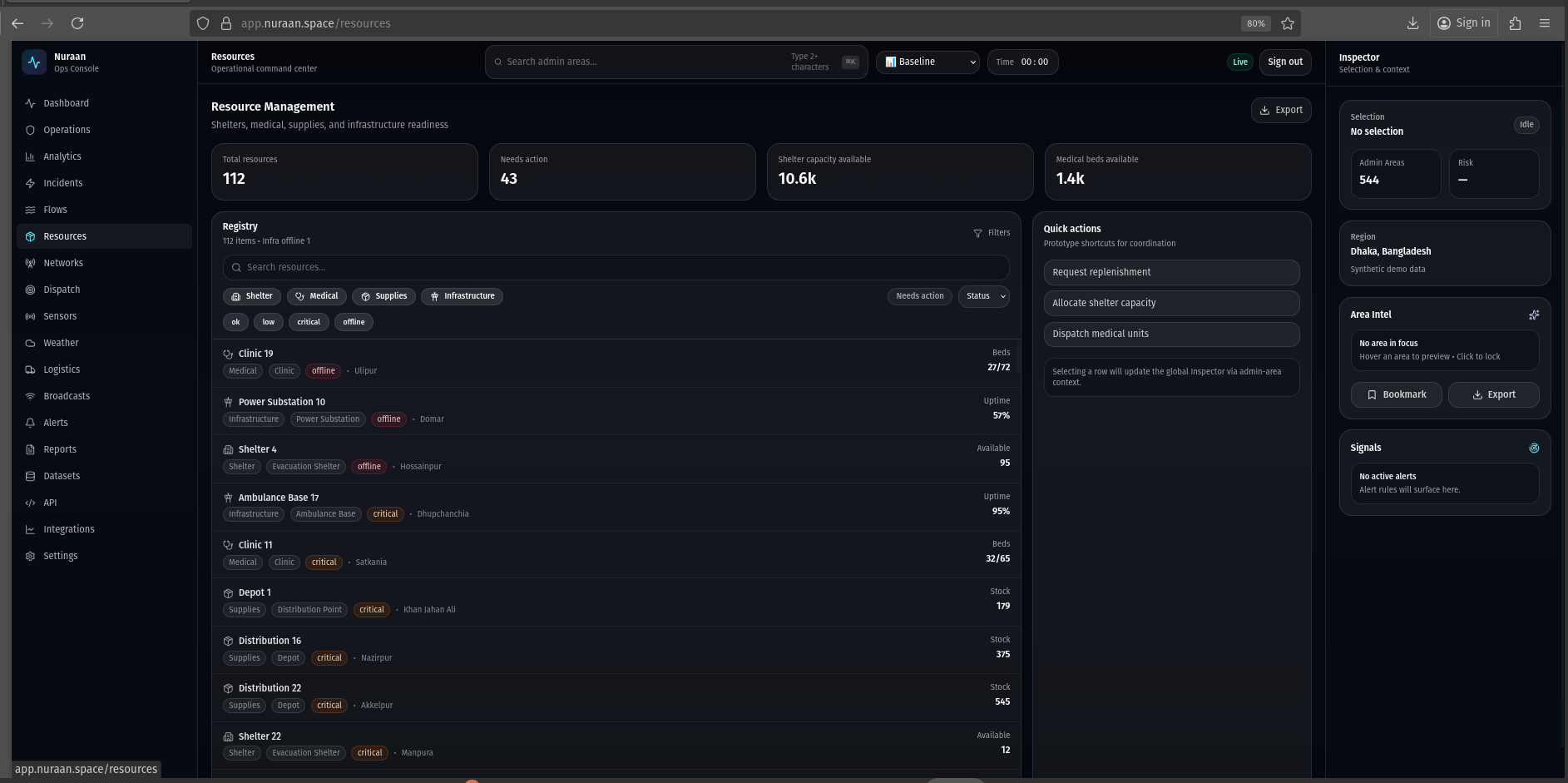
Resources
https://app.nuraan.space/resources
What is shown
- Queue-first operational view for tracking resource requests and allocations.
- Filters/search/sort and a detail pane for actioning a request.
Value
- Connects demand (needs) to supply (inventory/teams) with transparent prioritization.
- Creates auditability for what was delivered, where, and when.
Alternative implementations
- Inventory-first approach with “available stock” as the primary lens.
- Map-based logistics allocation with supply points and routes.
- Rules-driven auto-allocation with human override.
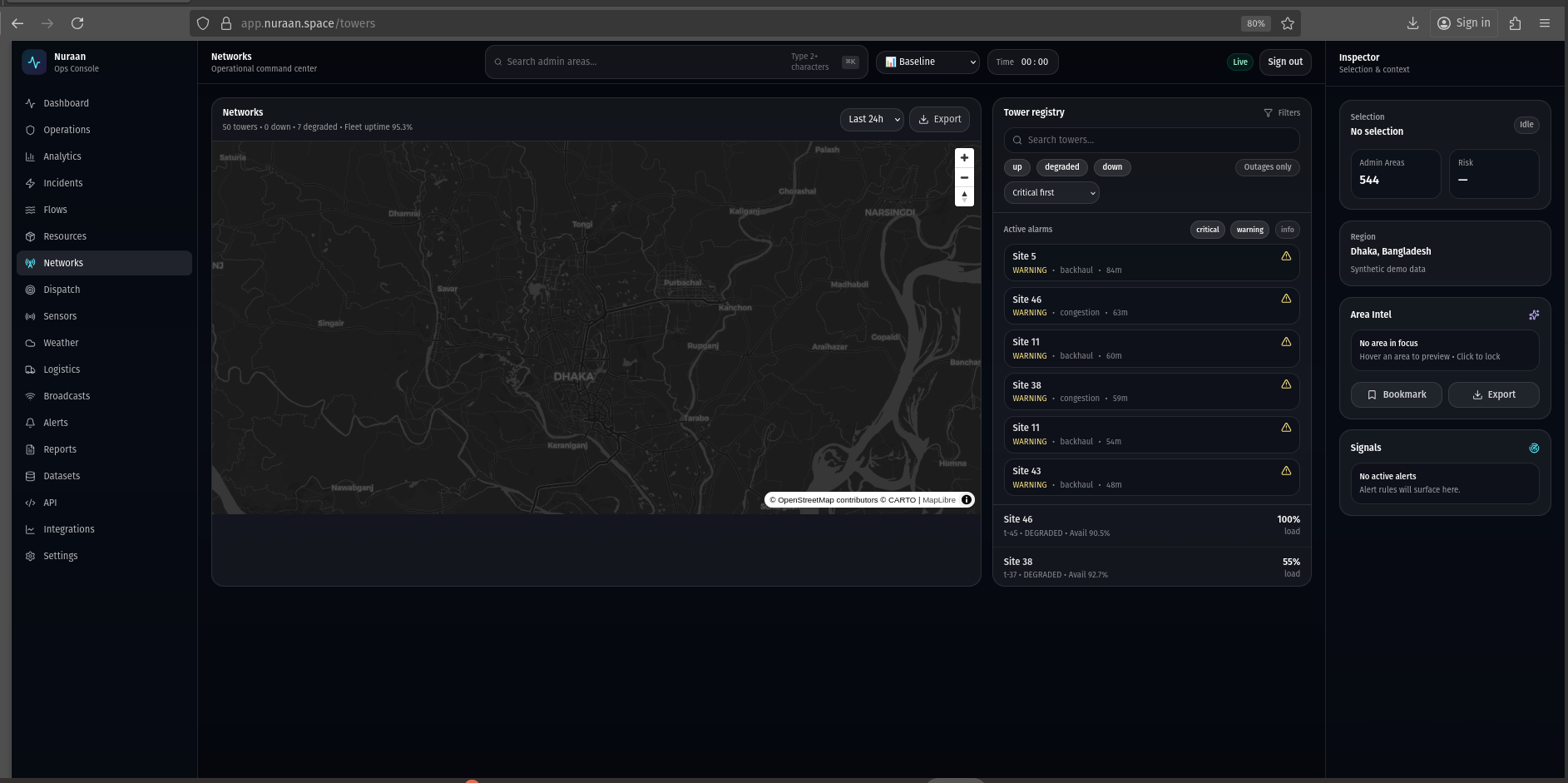
Networks
https://app.nuraan.space/towers
What is shown
- Network/tower coverage visualization and related operational signals.
- Selection integrates with the Inspector for contextual details.
Value
- Helps identify connectivity risk that impacts comms, sensor uplink, and coordination.
- Supports redundancy planning and prioritization for repairs.
Alternative implementations
- Coverage heatmaps, outage polygons, and service quality scoring.
- Integrate tower telemetry time-series as a first-class panel.
- Show “impact radius” and downstream operational risk per outage.
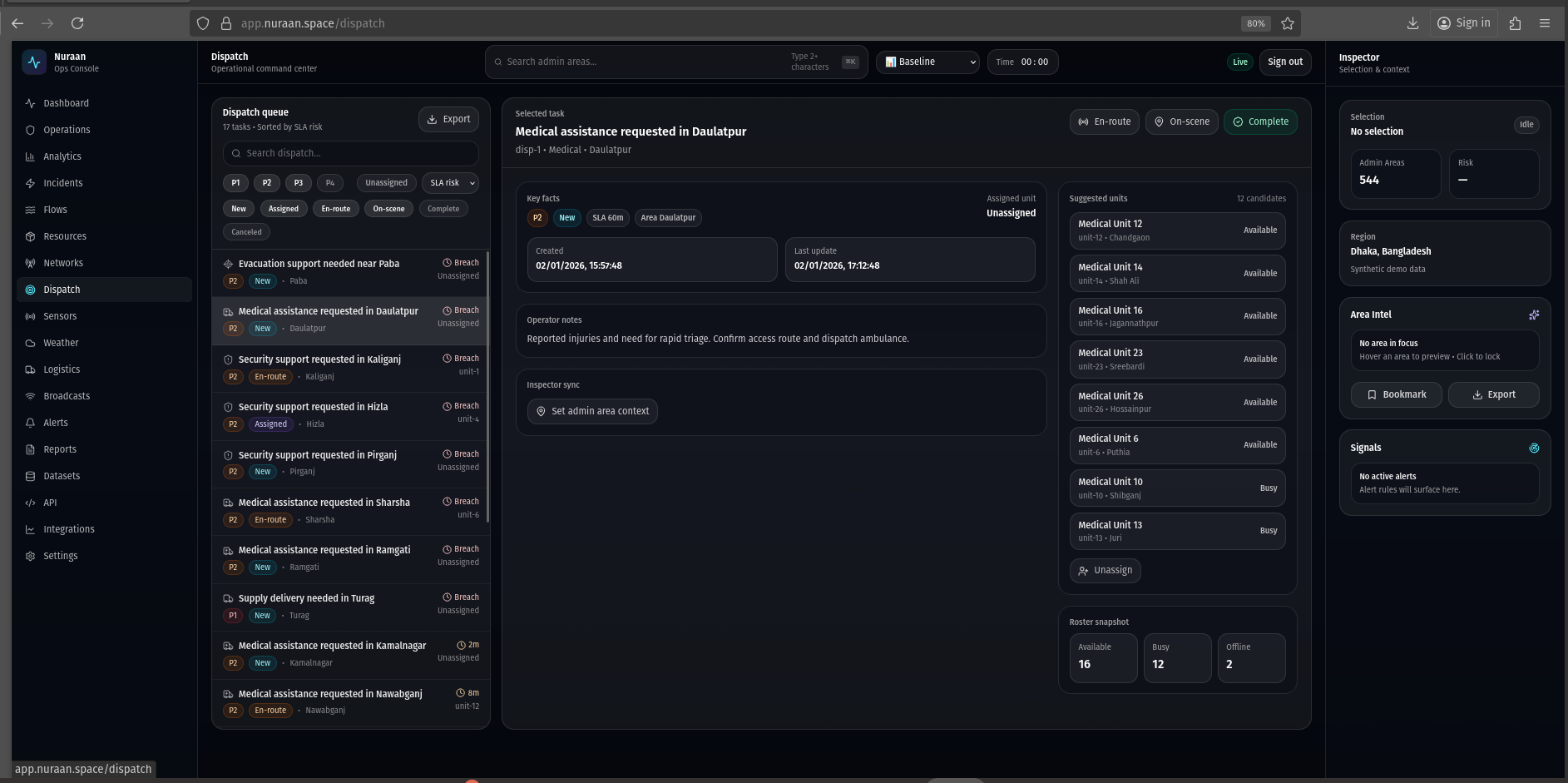
Dispatch
https://app.nuraan.space/dispatch
What is shown
- Queue-first unit dispatch console with assignment and status tracking.
- Quick actions for triage and coordination, plus CSV export for audits.
Value
- Turns detected needs into operational movement: who goes where and when.
- Creates real-time coordination across multiple teams.
Alternative implementations
- Map-first dispatch (units on map with route lines).
- Shift scheduling + capacity planning integrated into the same screen.
- Automated suggestions (closest unit, best route) with operator approval.
Sensors
https://app.nuraan.space/sensors
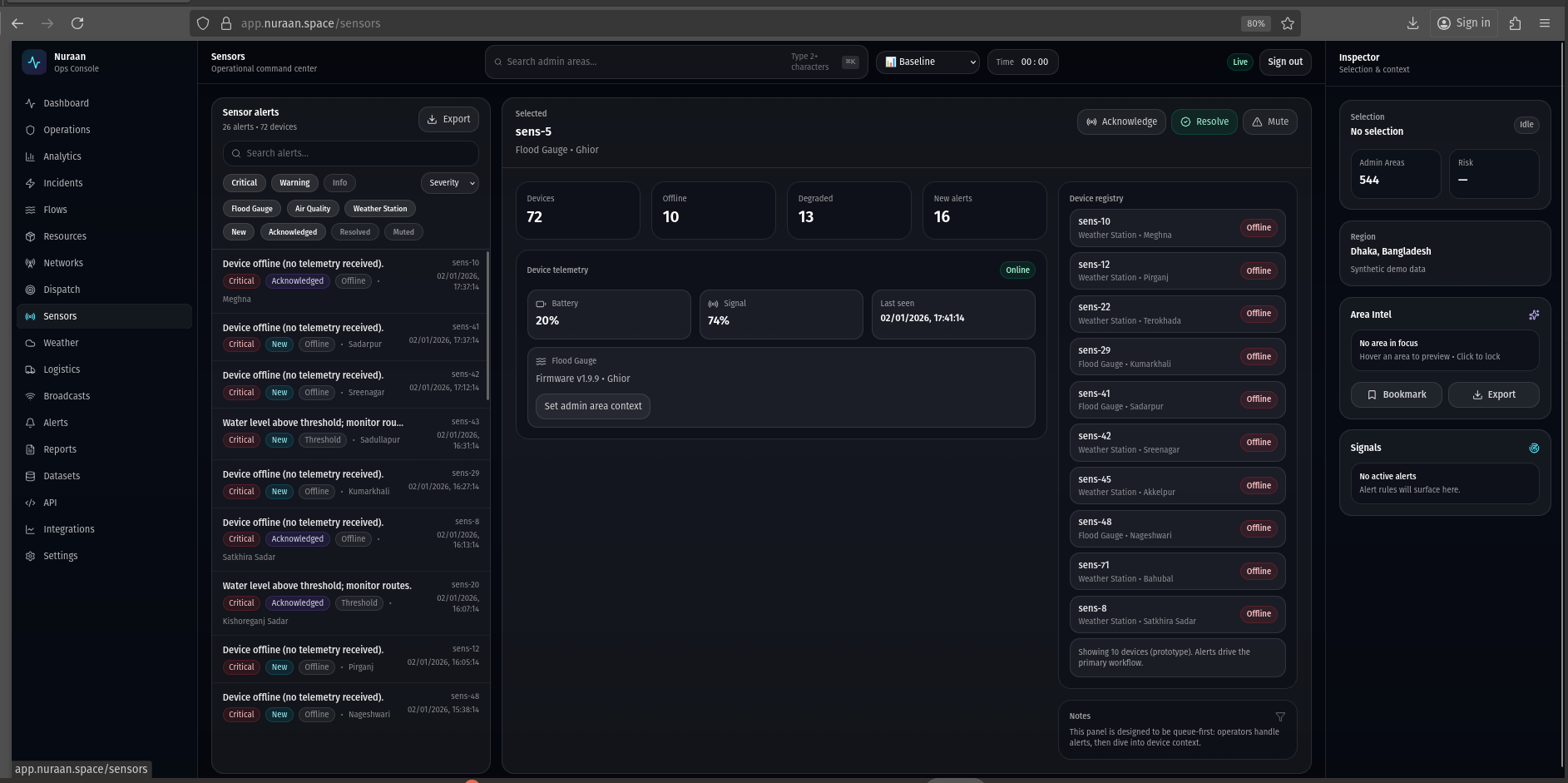
What is shown
- Sensor alert queue with filters and operational quick actions.
- Device registry and at-a-glance device health posture.
Value
- Maintains trust in upstream signals by making device health actionable.
- Enables fast “is it real?” checks during crisis response.
Alternative implementations
- Time-series-first monitoring (graphs and thresholds) like an observability tool.
- Geo-fenced sensor map with coverage areas and local anomaly clustering.
- Auto-remediation workflows (restart, fallback) with audit logging.
Weather
https://app.nuraan.space/weather
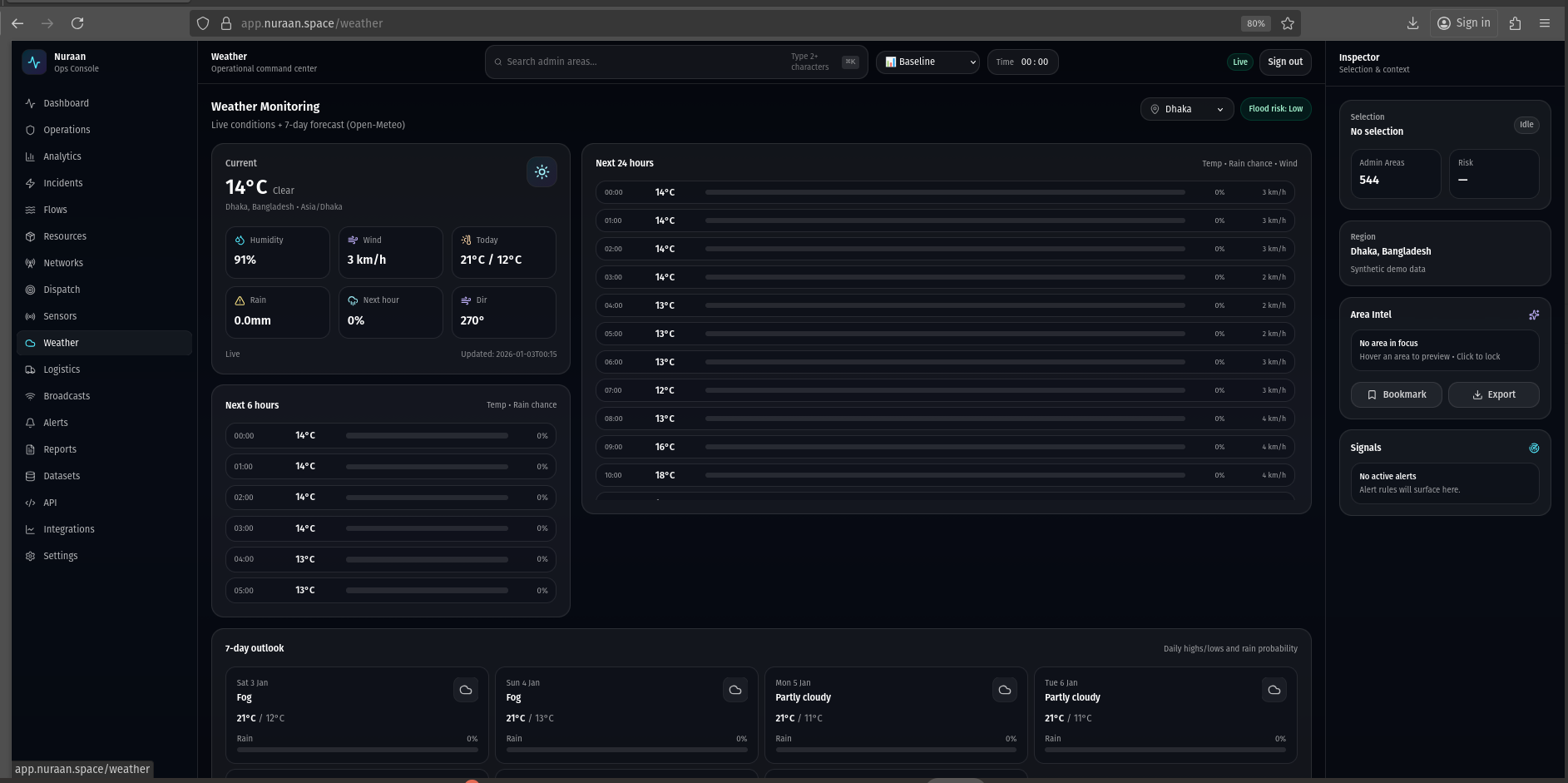
What is shown
- Current conditions and short-term forecasts for operational planning.
- Compact “next hours” forecast designed for quick scanning.
Value
- Weather is a primary driver of flooding, route risk, and resource allocation.
- Supports planning horizons (next hour vs next day) with minimal friction.
Alternative implementations
- Map-based precipitation/radar overlays tied to admin areas.
- Decision support (rain threshold triggers) feeding Alerts/Incidents.
- Multi-city comparison for regional ops across multiple hubs.
Logistics
https://app.nuraan.space/logistics
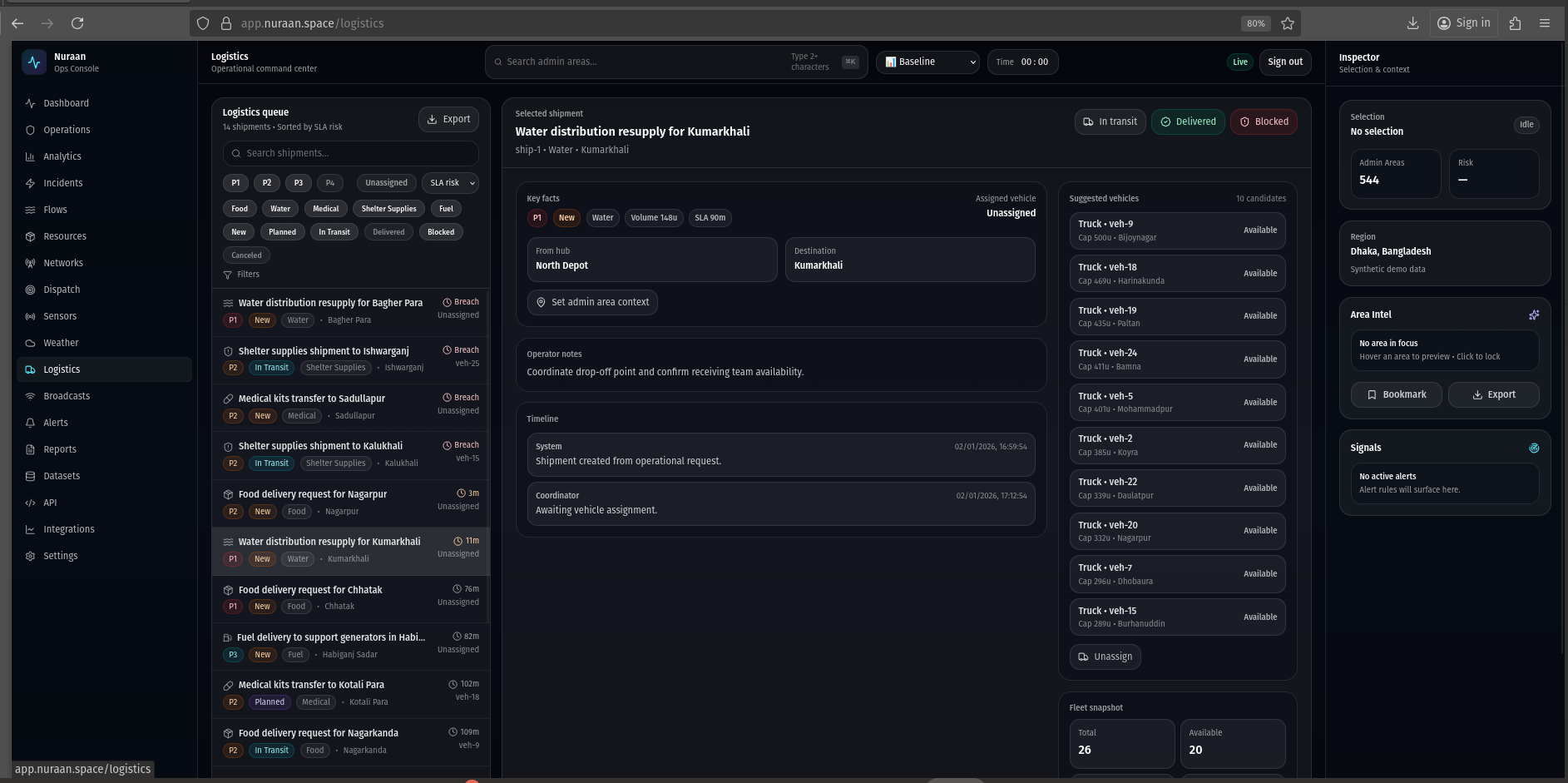
What is shown
- Shipment queue with status, risk flags, and route context.
- Fleet snapshot and suggested vehicle assignment patterns.
Value
- Makes delivery risk visible early (blockages, delays, coverage gaps).
- Supports coordination between distribution, dispatch, and receiving teams.
Alternative implementations
- Route planner with live travel time and detour suggestions.
- Warehouse-first view with inventory, picking, and staging operations.
- Capacity models (fleet utilization, turnaround) integrated into planning.
Broadcasts
https://app.nuraan.space/broadcasts
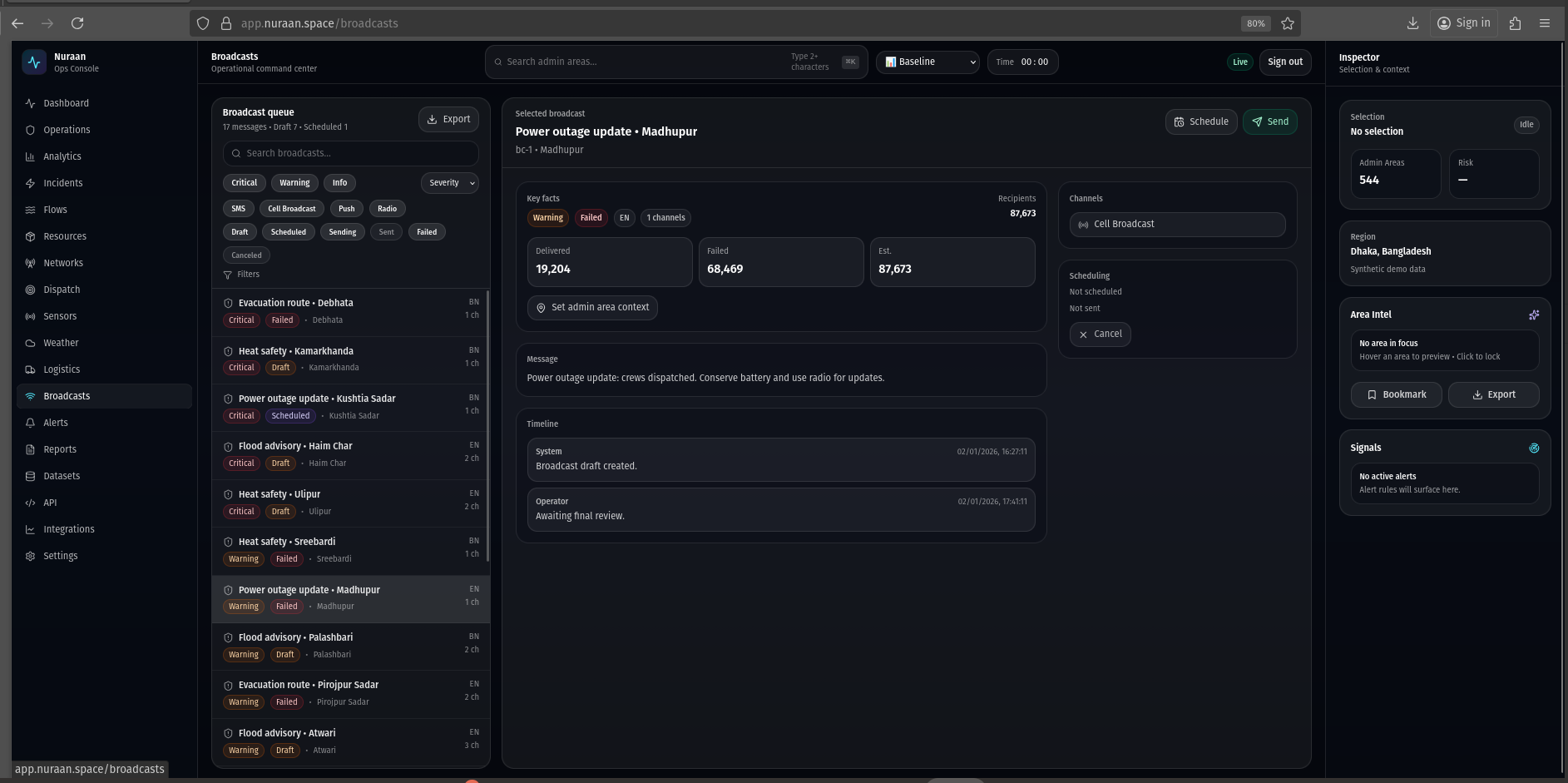
What is shown
- Message campaign queue with channel mix and delivery posture.
- Detail pane with scheduling and status transitions.
Value
- Enables fast, consistent public communications during evolving crises.
- Provides traceability: what was sent, to whom, and with what outcomes.
Alternative implementations
- Template library and translation workflow with approvals.
- Geo-targeted messaging integrated directly from map selections.
- Experimentation/measurement: A/B tests and reach analytics.
Alerts
https://app.nuraan.space/alerts
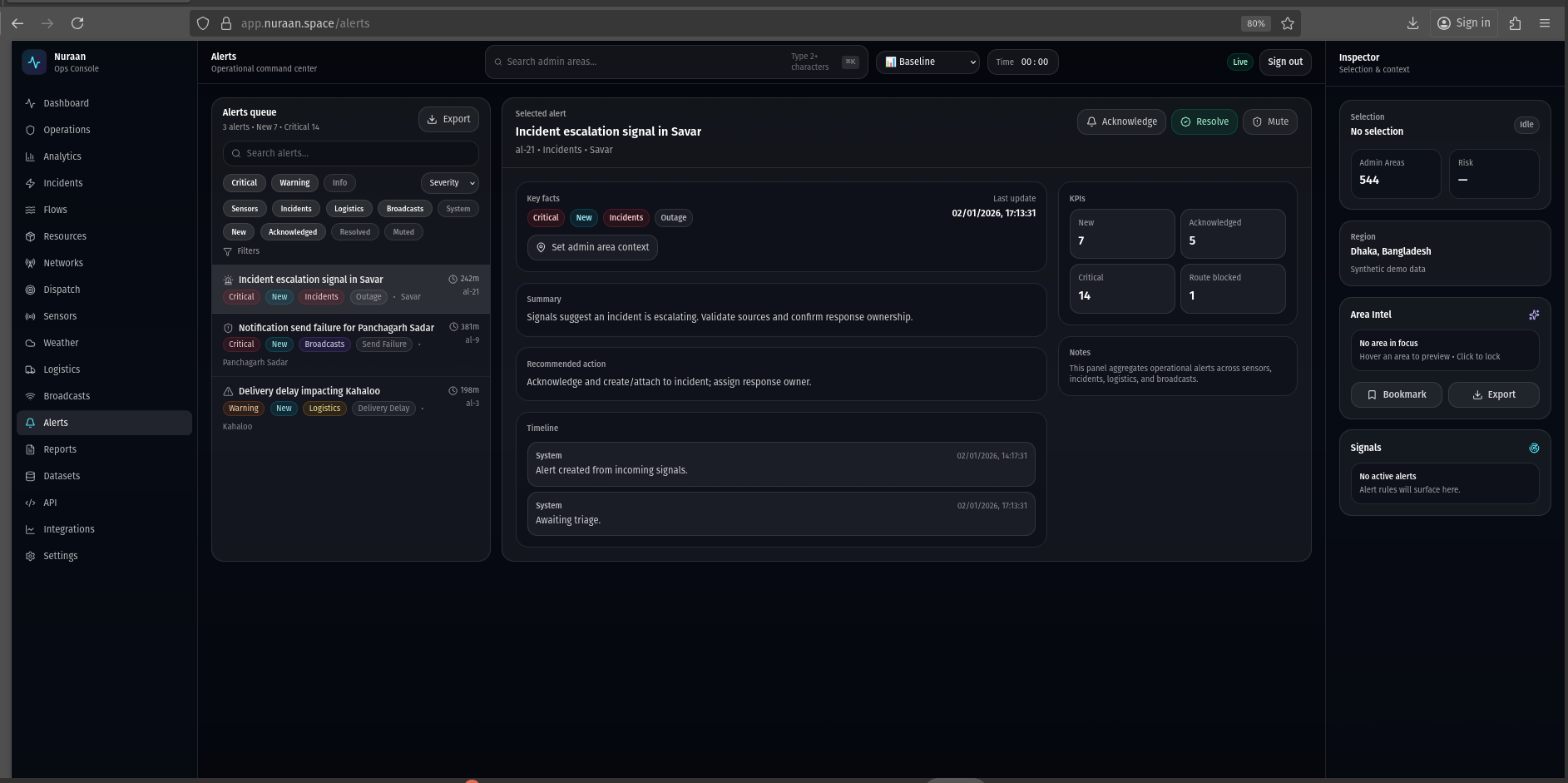
What is shown
- Operational alert queue for triage across system domains.
- Filters for severity/source/status and quick actions (acknowledge/resolve/mute).
Value
- Provides the “nervous system” view: what requires human attention now.
- Reduces noise by making filters and prioritization explicit and auditable.
Alternative implementations
- Alert correlation into incidents (grouping, deduplication, root-cause views).
- Rule builder for thresholds and geo-fenced triggers.
- Escalation policies integrated with Integrations and on-call scheduling.
Reports
https://app.nuraan.space/reports
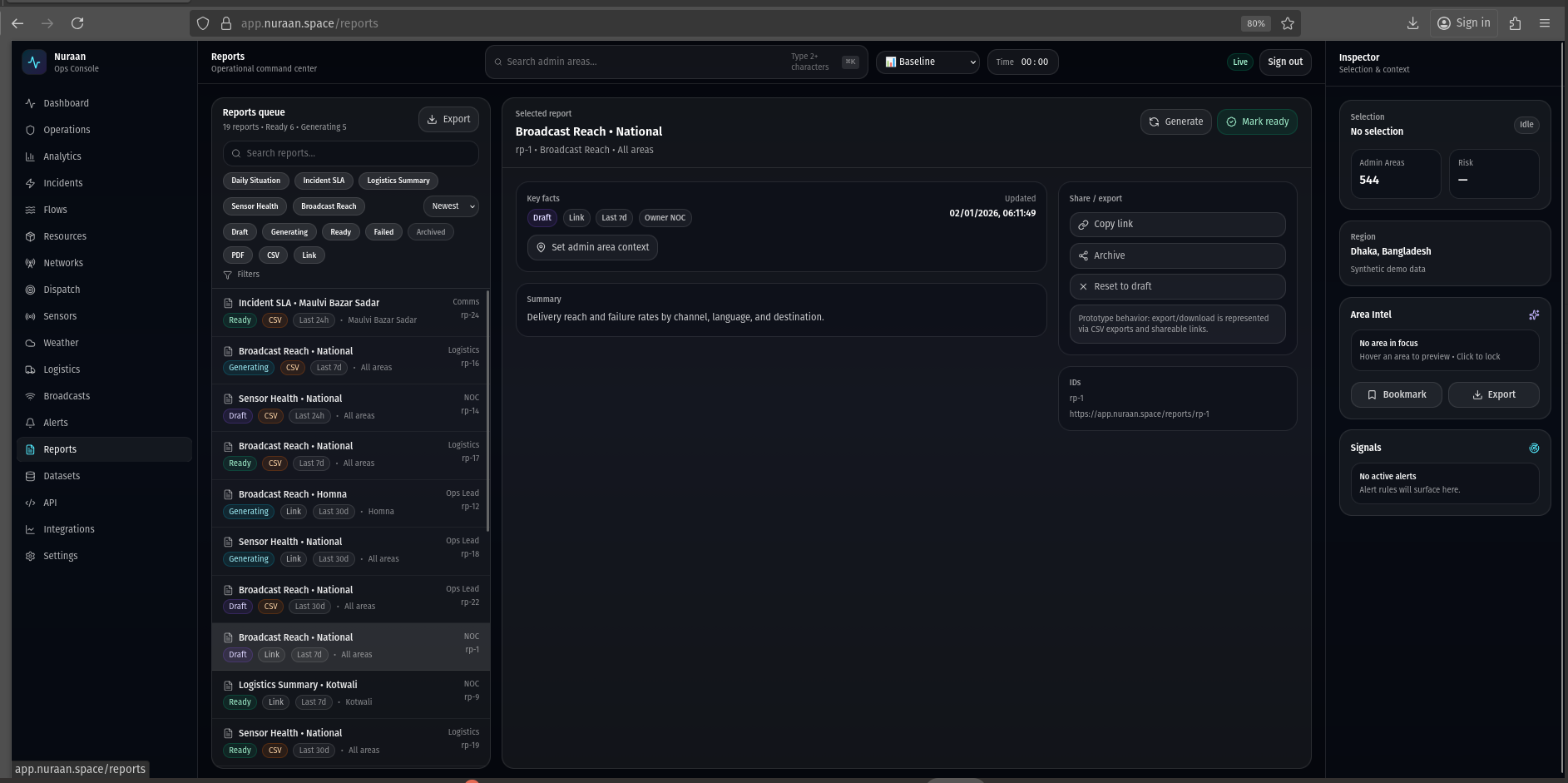
What is shown
- Report generation queue with types, formats, and readiness state.
- Shareable links and export-focused actions (prototype behavior).
Value
- Supports stakeholder communication: consistent briefings and artifacts.
- Provides a pathway from real-time ops data to formal reporting.
Alternative implementations
- Report builder (widgets + narrative sections) with templates.
- Scheduled reports with distribution lists and approvals.
- Embed interactive “live reports” instead of static PDFs/CSVs.
Datasets
https://app.nuraan.space/datasets
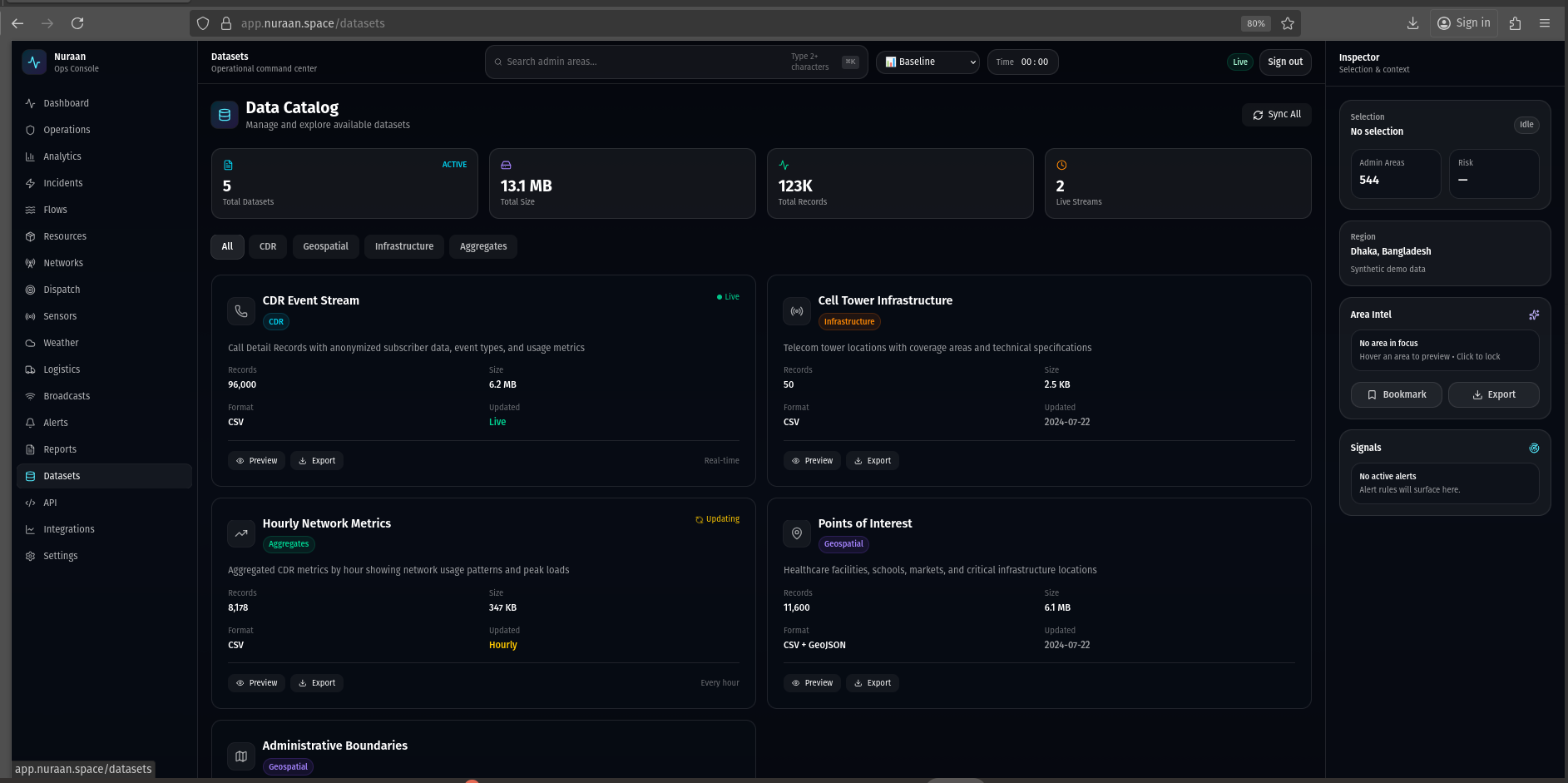
What is shown
- Dataset catalog intended for ingestion status, schema notes, and coverage.
- Placeholder for data governance workflows and imports.
Value
- Makes data provenance explicit: what sources exist and how fresh they are.
- Enables trust conversations early in the POC process.
Alternative implementations
- Data lineage graph with pipeline run logs.
- Schema registry with validation and quality scoring.
- Privacy and aggregation controls surfaced per dataset.
API
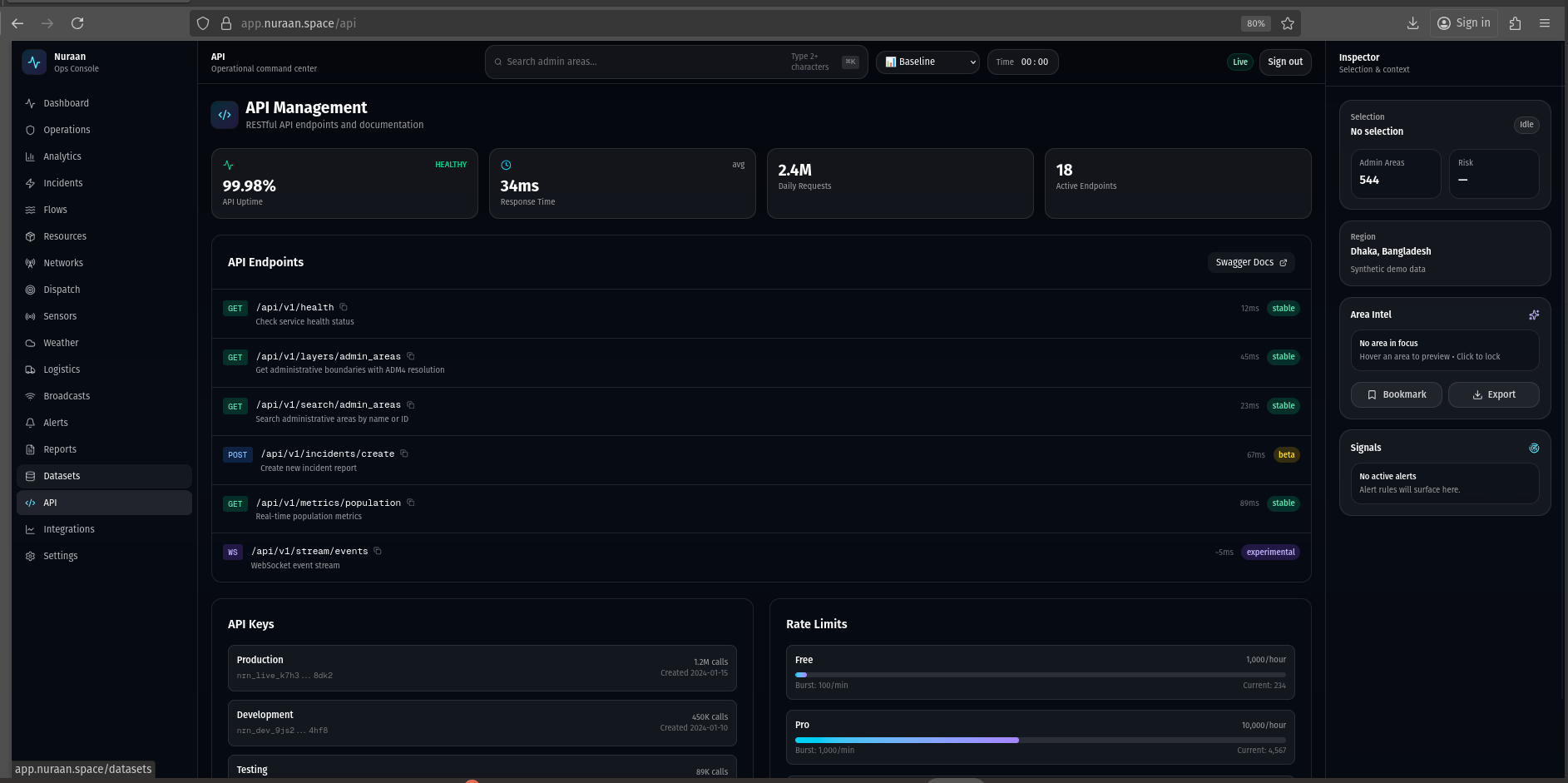
What is shown
- Developer-facing API overview and endpoint notes.
- Operational notes around keys, limits, and usage posture (prototype).
Value
- Enables integration planning: how external systems would read/write data.
- Reduces ambiguity for a POC by making the API surface tangible.
Alternative implementations
- Auto-generated OpenAPI explorer embedded in the docs site.
- SDK-first approach with examples and client libraries.
- Separation of “operator UI” vs “developer portal” as distinct products.
Integrations
https://app.nuraan.space/integrations
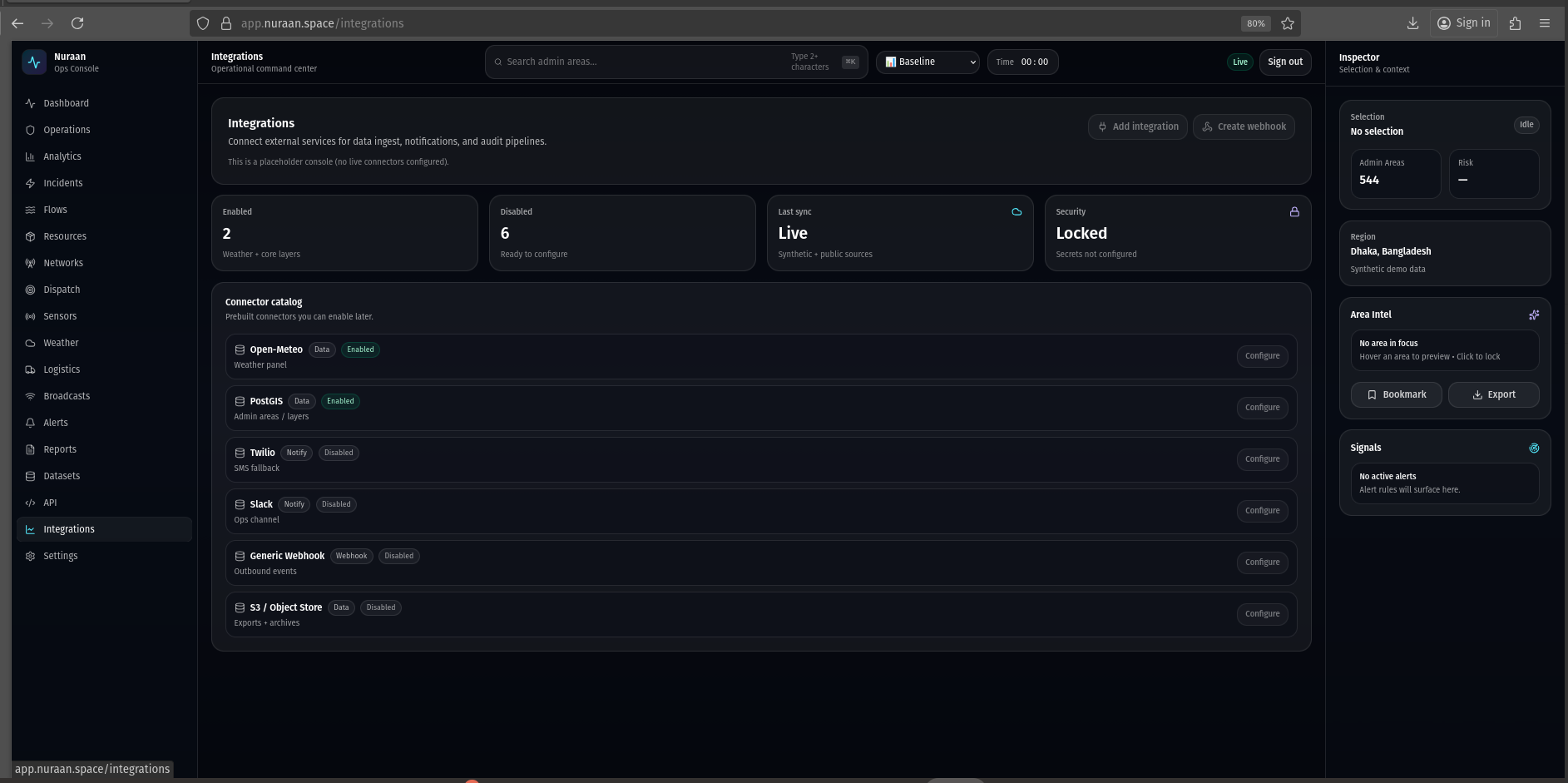
What is shown
- Integration catalog and placeholder posture (enabled vs disabled connectors).
- Stubbed actions for adding connectors and webhooks.
Value
- Clarifies how the platform would connect to real operational systems.
- Establishes scope boundaries for a POC (which connectors matter first).
Alternative implementations
- Integration marketplace with templates per NGO/agency workflow.
- Event-driven architecture with topic subscriptions and replay.
- Secrets management + policy controls surfaced in Settings.
Settings
https://app.nuraan.space/settings
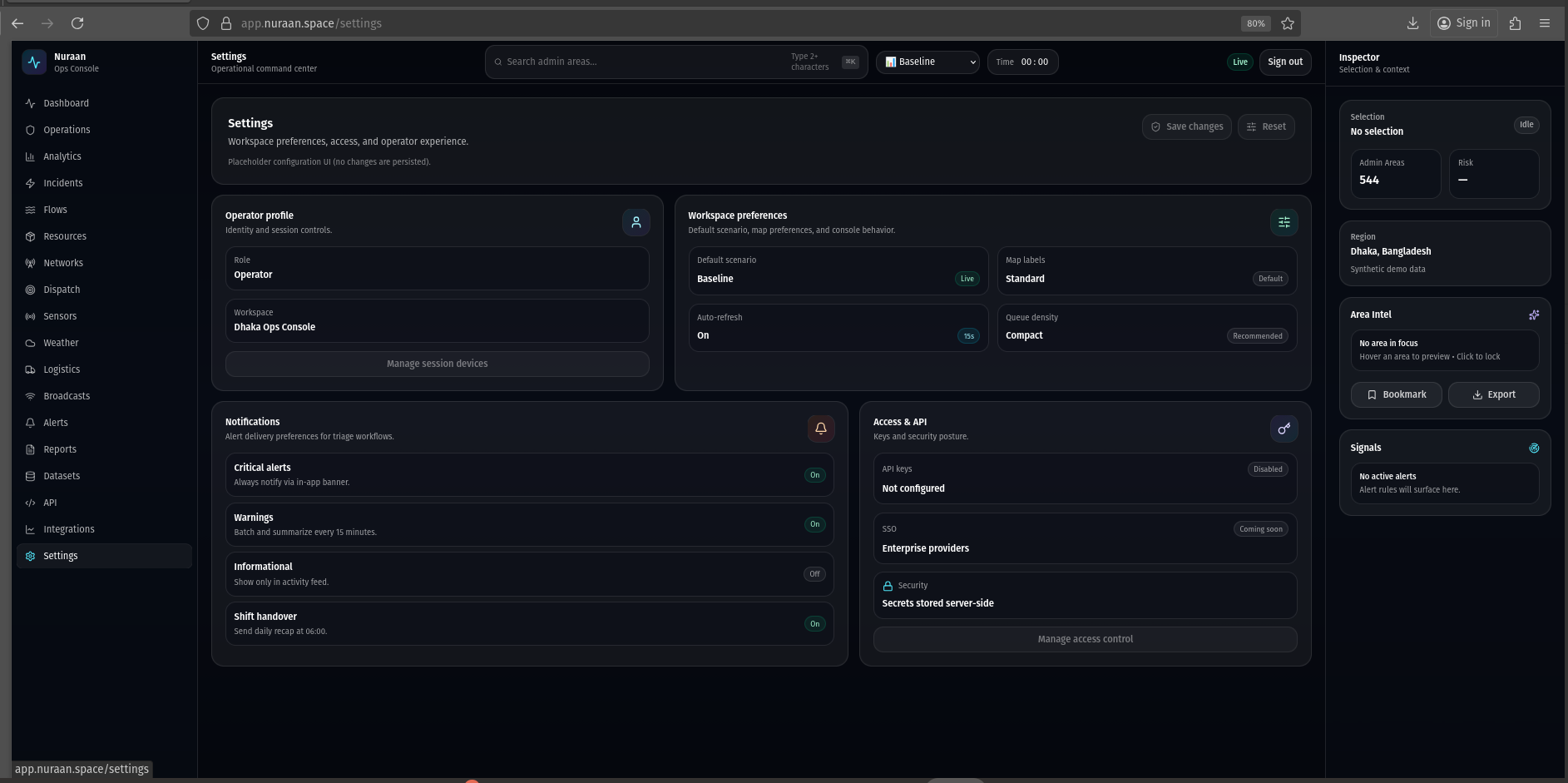
What is shown
- Operator profile, workspace preferences, notifications, and access/API stubs.
- Configuration UI intentionally disabled (prototype placeholders).
Value
- Establishes the expected control surface for a future production system.
- Provides a place to discuss governance: roles, keys, notification policies.
Alternative implementations
- Split by persona: operator settings vs admin settings.
- Configuration-as-code approach (versioned, reviewed changes).
- Policy engine integration (RBAC/ABAC) with audit trails.